
About WAVE
WAVE is the native utility and reward token for W Swap. It’s more than just a token; WAVE is the core growth engine of W Chain’s DeFi ecosystem. By incentivizing users through dual-layer staking, liquidity mining, and future governance, WAVE creates a sustainable, community-driven ecosystem.
WAVE is designed to fuel W-Swap’s liquidity engine, offering transparent rewards, sustainable growth, and community-led governance.
Getting Started with WAVE
Quick Summary: Provide LP > Acquire LP tokens > Stake them to get WAVE
1. Connect Your Wallet
- First, you need a compatible wallet (MetaMask or others that support W Chain). Connect to it via the WAVE interface.
2. Add Liquidity / Get LP Tokens
- To farm via LP staking, you supply token pairs to W Swap. When you do this, you receive LP tokens representing your share of the pool.
3. Stake LP Tokens
- Once you’ve provided liquidity and received your LP tokens, you can stake these LP tokens in dedicated LP Staking pools on the WAVE platform.
4, Earn Rewards
- By staking your LP tokens, you earn additional WAVE tokens as a reward. This incentivizes you to provide and keep your liquidity in W Swap’s pools, deepening market depth.
How to Provide Liquidity on W Swap to Earn Fees and LP Tokens
Becoming a liquidity provider (LP) allows you to earn a share of the trading fees from every swap in your chosen pool.
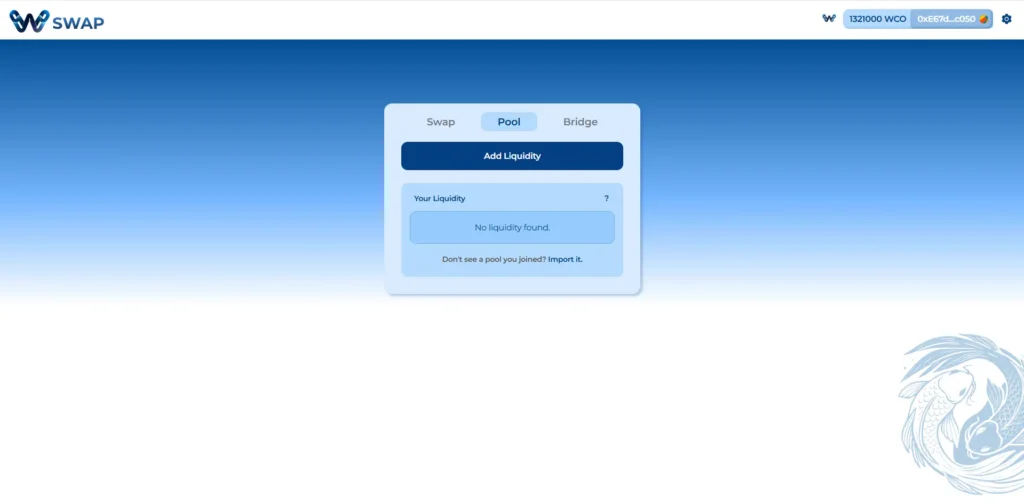
- Click on the “Pool” tab on W Swap.
- Connect Wallet
Ensure you have your preferred browser wallet installed (Metamask, Rabby etc.)
Ensure you have W Chain set up in your wallet.
If not, check this guide on how to add W Chain as a custom network
- Select “Add Liquidity.”
4. Select the token pair you want to provide liquidity for (e.g., WCO/USDT). You’ll need an equivalent value of both tokens.
5. Approve Token (First Time Only): If you haven’t swapped this specific token before, you’ll need to click “Approve” and confirm the transaction in your wallet. This allows W Swap to iteract with your tokens.
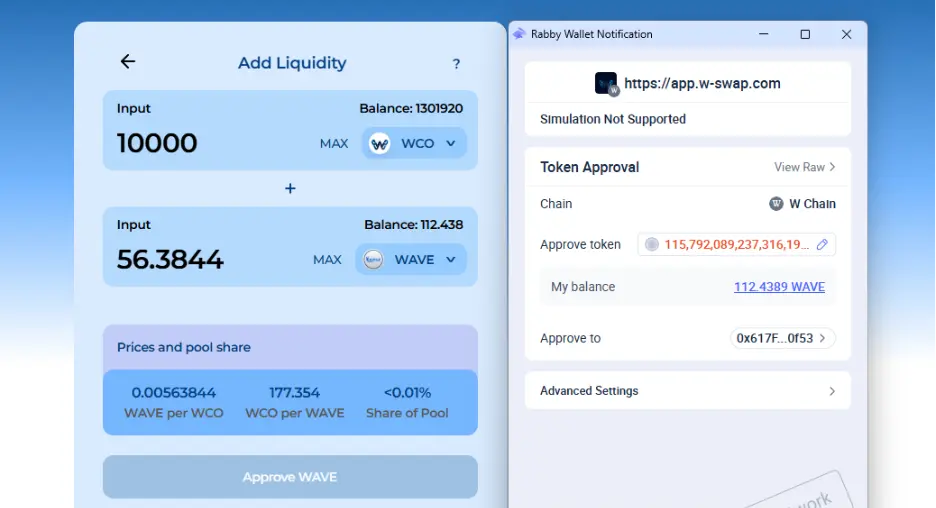
6. Enter Amounts: Input the amount of one token, and the other will auto-fill.
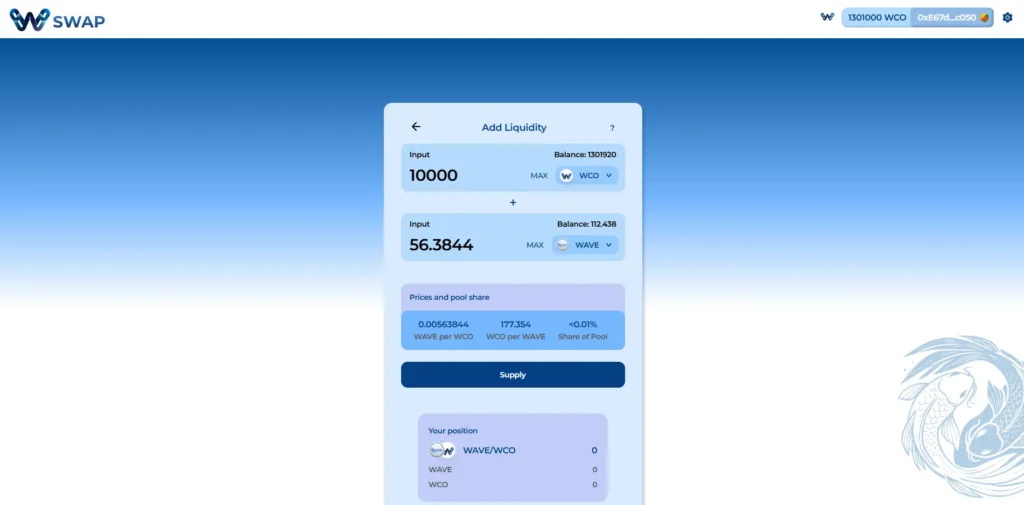
7. Approve both tokens (if new to the pool), then click “Supply” and confirm the transaction.
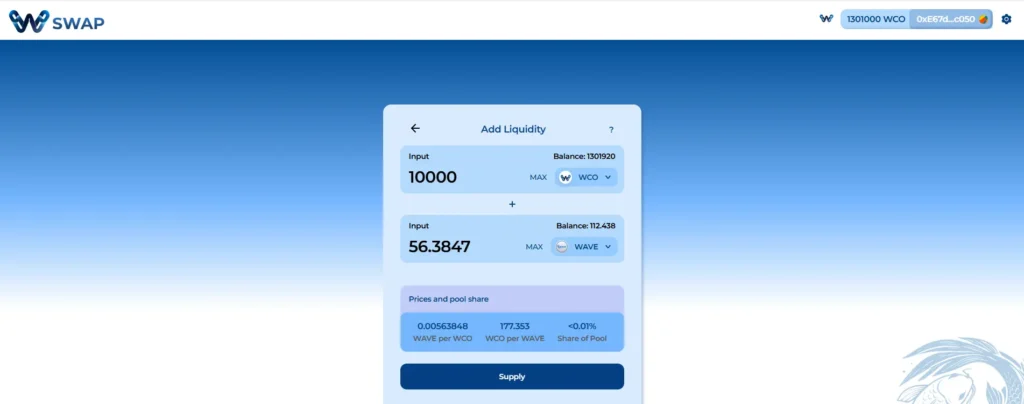
8. You will receive LP (Liquidity Provider) tokens, representing your stake in the pool and your share of the 0.3% trading fees.
How to Stake LP Tokens
1. Head over to the WAVE platform and select the “Farm” tab in the menu bar: https://wave.w-chain.com/farm
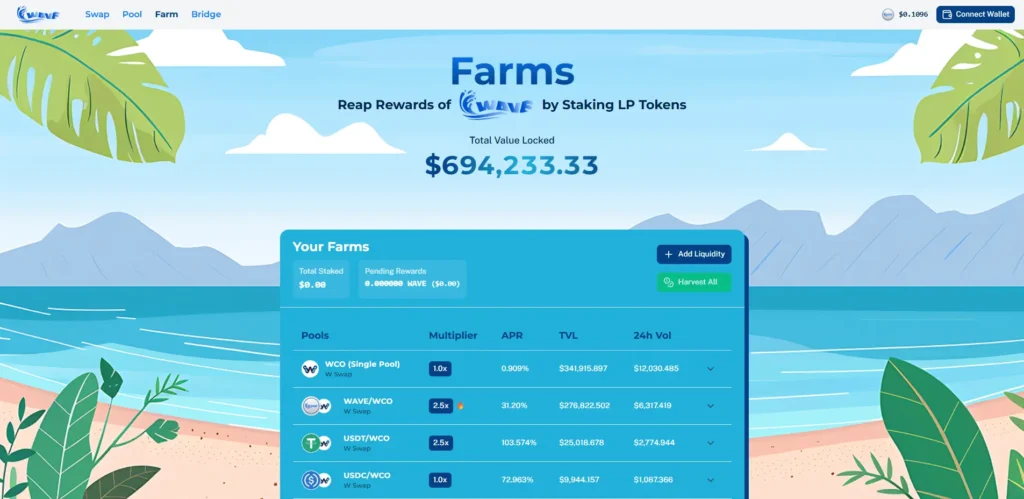
2. Connect Wallet
- Ensure you have your preferred browser wallet installed (Metamask, Rabby etc.)
- Ensure you have W Chain set up in your wallet.
- If not, check this guide on how to add W Chain as a custom network
3. Locate the Pool that you have provided liquidity and received LP tokens for.
4. Hit the drop-down arrow to access more features.
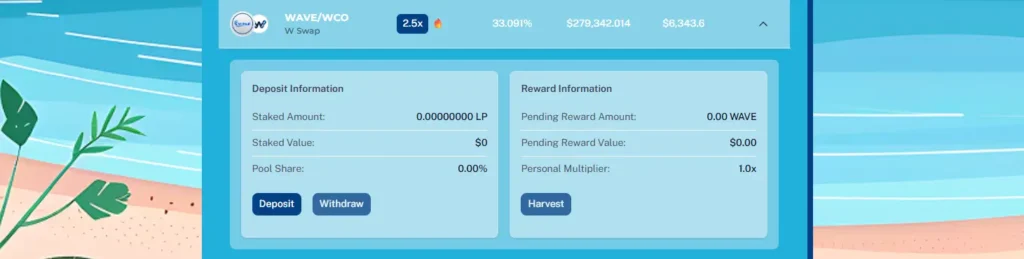
5. Select “Deposit”, input amount and then hit Approve. If you haven’t deposited this specific LP Token before, you’ll need to click “Approve” and confirm the transaction in your wallet. This allows the WAVE platform to interact with your tokens.
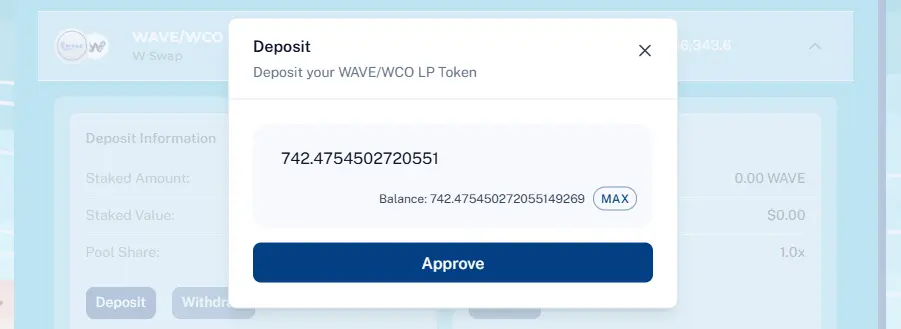
6. Once approved, hit “Deposit”.

7. Once confirmed, your LP tokens have been successfully staked and should reflect under “Deposit Information”.
8. You are also able to “Withdraw” your LP tokens and “Harvest” your WAVE yield at any given time.
