
W Chain’s Multi Validator Bridge redefines security for cross-chain transfers by decentralizing validation across a network of independent nodes. Built for developers and crypto projects, our bridge ensures asset safety without compromising speed or interoperability.
Every transaction is verified by a decentralized network of validators, eliminating single points of failure.
Open-source codebase with real-time monitoring for full transparency.
Seamlessly transfer assets between Ethereum, Binance Smart Chain, Polygon, Solana, and more.
Optimized for high throughput and low latency, ideal for DeFi protocols and DApps.
Easy API/SDK integration and customizable security rules.
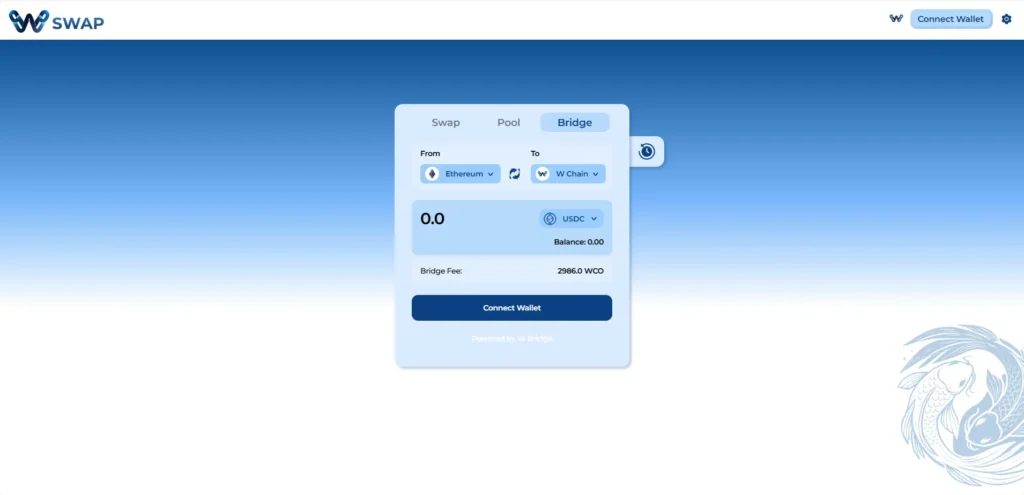
Choose the network you want to bridge from (e.g., ETH) in the “From” field and the network you want to bridge to (e.g., W Chain) in the “To” field.
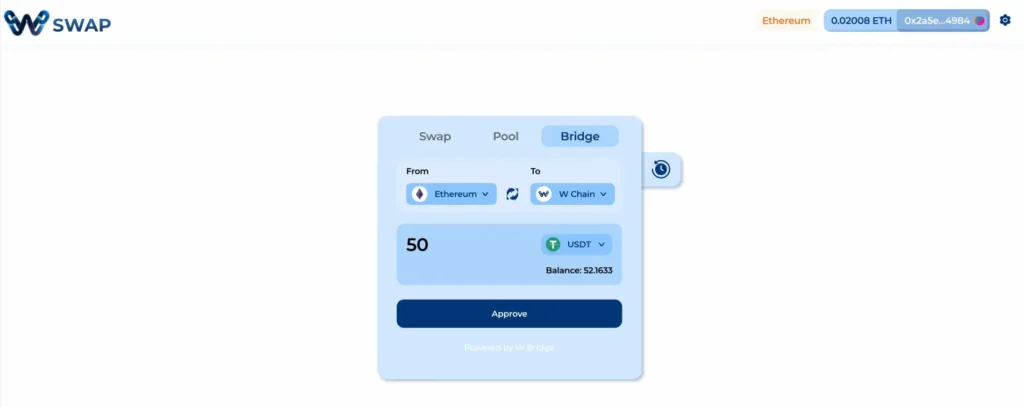
In this example, USDT is selected. Approve token for spending.
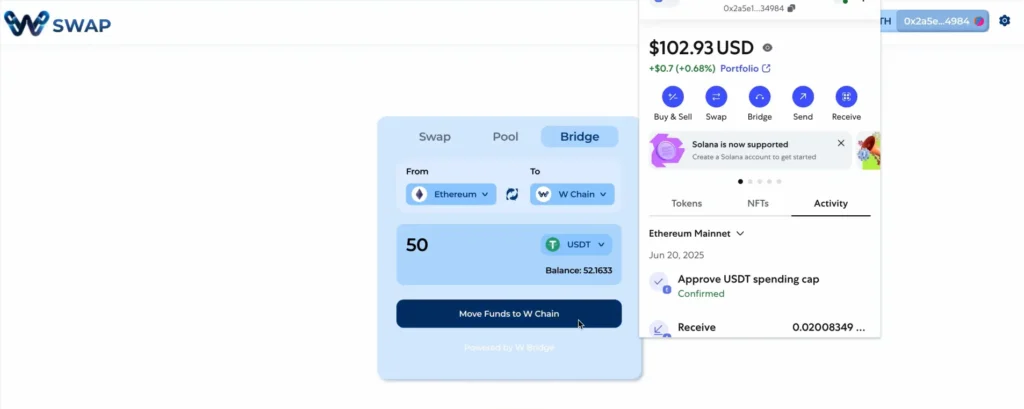
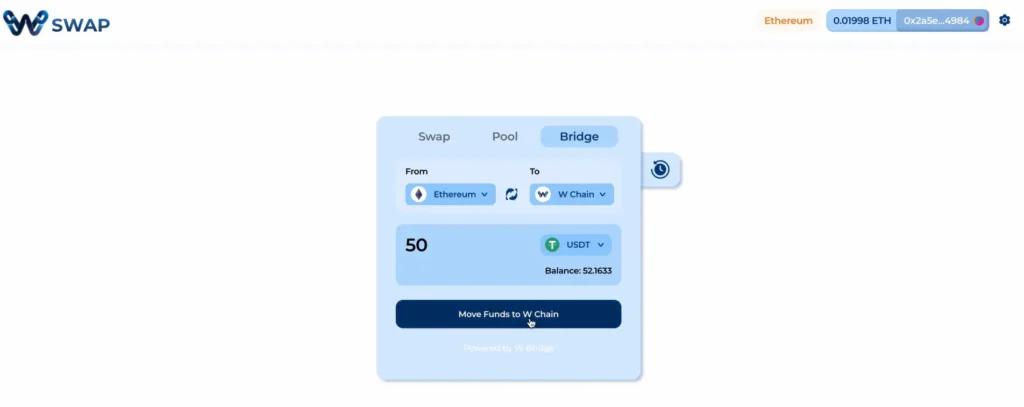
Approve Contract Interaction as well; this allows the bridge to communicate with your wallet. Then hit Move Funds to W Chain.
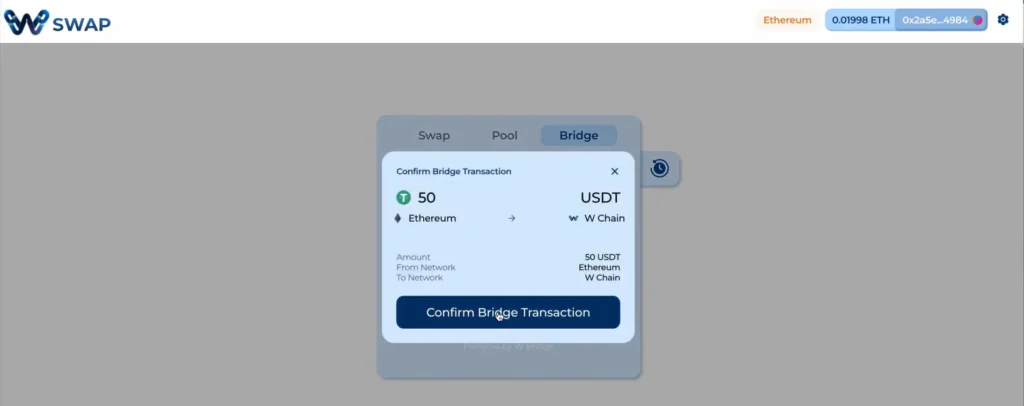
Check bridge details: Amount, From Network and To Network. Then hit Confirm Bridge Transaction.
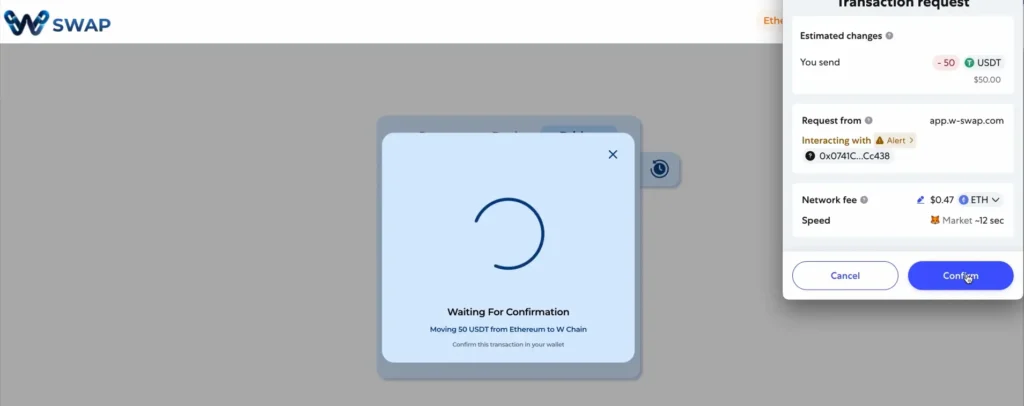
Review gas fees before confirming. Proceed once you are comfortable with the cost.
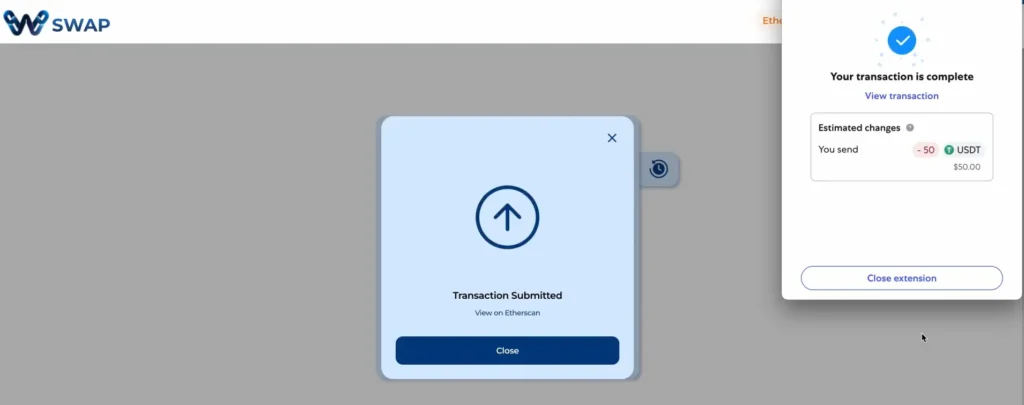
Transaction will then be submitted. Bridging usually takes <1 minute. In this case, 50 USDT is now on W Chain.
Discover a vibrant, global network of creators, developers, and enthusiasts on W Chain.
The Way Finders Program is your chance to be a key player in the W Chain Network.
Live Connect directly with W Chain’s core team, developers, and community pioneers.
Connect with W Chain’s community forum and join our Telegram channel for major updates and news.
W Chain is building a global network that powers the next generation of payments.
A hybrid blockchain platform uniquely crafted for the future of digital payments.
Stay ahead with insights on Hybrid blockchain, Web3 trends, and W Chain updates.
W‑Chain’s Guidelines help you securely connect, migrate, swap, and engage with the ecosystem.
Our FAQ section provides quick answers to common questions, helping you find information and solutions with ease.
Stay updated with W Chain’s latest milestones, partnerships, and ecosystem developments.
See how industry leaders and media are talking about W Chain’s hybrid blockchain revolution.
Empowering Transactions with WCO: Fast, Secure, and Versatile Utility Across Payments and DeFi.
WAVE is the native reward and incentive token at the heart of W Swap, W Chain’s decentralized exchange.
Decentralized Trading Made Simple with WSwap: Seamless Cross-Chain Swaps, Low Fees, and Secure Liquidity Pools.
Secure and Reliable Cross-Chain Bridge: Decentralized Transfers for Crypto Innovators and Builders.
The W+ (Premium Accounts) program builds loyalty, restores trust, and drives long-term engagement in the W Chain ecosystem.
Seamless Crypto-to-Fiat Spending: Your Global Companion for Retail and Travel.
W Chain is a next-gen blockchain platform delivering trust, transparency, and efficiency to global payments and DeFi.
Join us in empowering creators on W Chain—built for scalability, security, and seamless UX—to drive Web3’s evolution.
W Chain Mainnet delivers secure, scalable, and efficient blockchain transactions for payments, DeFi, and Web3.
W Chain Testnet lets developers safely test apps and smart contracts before mainnet launch.